
What Blood Glucose Monitoring Basics Actually Cover
Blood glucose monitoring basics come down to one simple idea: a blood glucose monitoring system pairs a handheld meter with test strips to measure how much glucose (sugar) is in a small sample of your blood. In the United States, meters report results in milligrams of glucose per deciliter of blood, or mg/dL. Glucose is a sugar your body uses for energy; unless you have diabetes, your body regulates the amount in your blood, and people with diabetes may need to monitor their levels to help manage their condition.[source]
A basic routine is more than the meter itself. It includes the meter, test strips specified for that meter, a lancing step to get a blood drop, washing and drying your hands before testing, and recording results so you can review them later. How often you test and what your personal glucose goals should be are decisions you make with your health care provider, not something this article can set for you.[source]
Why Meter and Test Strip Compatibility Comes First
No, you cannot use just any test strip with your meter. Only use test strips specified for your meter. The FDA has described real cases where mismatched strips and meters produced lower-than-expected results, and notes that if you use a strip not recommended for your meter, the device may fail to give results or may generate inaccurate results. The practical fix is simple: read your owner's manual and check the test strip insert, which identifies the meters the strips should be used with.[source]
The FDA also recommends using new test strips authorized for sale in the United States and has issued a safety communication warning about the risks of previously owned or non-authorized test strips. Treat strip sourcing as part of monitoring basics, not an afterthought.[source]
A General Testing Sequence, Step by Step
The FDA describes a general finger-stick sequence that applies across most home meters. Your own meter manual is the authority for exact steps, but the broad flow looks like this:[source]
General finger-stick sequence
- Read the instructions first Before you test, read and understand the instructions for your meter.
- Prepare a blood drop Prick your finger with a lancet to get a drop of blood.
- Apply to the strip Place the drop on a disposable test strip inserted into your meter. The strip contains chemicals that react with glucose, and the meter measures that reaction using electricity or light.
- Read the result The meter reports the result, in mg/dL in the U.S.
- Wash your hands After testing, wash your hands to reduce the risk of transmitting diseases carried in the blood.
Factors That Can Affect a Reading
The FDA names several everyday factors that can make a blood glucose result less reliable. Technique matters: wash and dry your hands before testing and follow your meter's instructions closely. Meter and strip quality matters too, as does storage and handling — store both according to the manufacturer's instructions, and if your strips come in a vial, keep the vial tightly closed when not in use. High altitude, extreme temperature, and extreme humidity can cause unpredictable effects on results.[source]
Certain health conditions and substances can also interfere. The FDA lists severe dehydration or anemia, extreme hematocrit, and conditions associated with high uric acid such as gout. Some medications and supplements — for example vitamin C, acetaminophen and acetaminophen-containing drugs like Tylenol, and xylose absorption therapies — may interfere with the test. Check your meter and strip instructions for substances that may affect results, and ask your health care provider about your own situation rather than trying to interpret or adjust anything from this list.[source]
Checking That Your Meter Is Working
The FDA describes three practical checks. First, control solution tests: consider running one every time you open a new container of test strips, occasionally as you use the container, if you drop the meter, or whenever you get unusual results that do not match how you feel. The control solution value should fall within the range printed on the test strip vial label. Second, electronic checks: every time you turn on your meter it performs an electronic check, and if it detects a problem an error code appears that your manual explains. Third, comparison with a laboratory test: bring your meter to a health care appointment, ask your provider to watch your technique, and have your blood tested by a laboratory method — if the values match, your meter is working well and your technique is sound.[source]
If results seem unusual or you are unsure your meter is working properly, the FDA advises calling the support number in your meter's manual or contacting your health care provider.[source]
Where aiGlucoCare Fits: Manufacturer-Stated Specifications
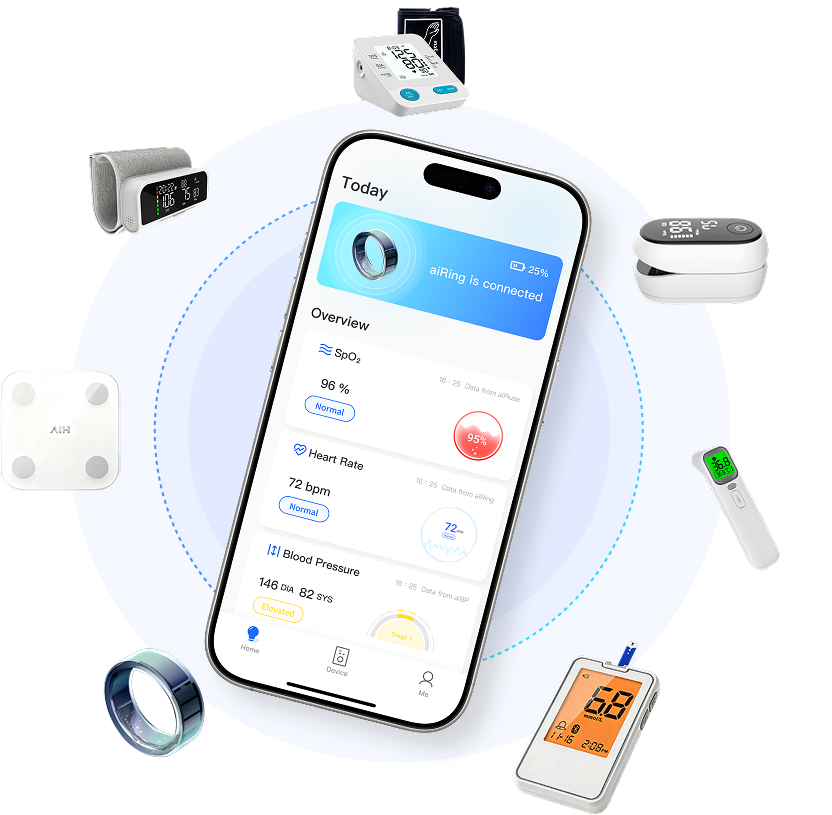
aiGlucoCare is AIHNET's blood glucose meter, built around a no-code testing flow and a Bluetooth connection to aiCare for supported blood-glucose data workflows. The values below are manufacturer-stated specifications; they describe the device as documented and are not a guarantee of accuracy for every user or circumstance.
| Specification | Manufacturer-stated value |
|---|---|
| Model | Bioland G-427B |
| Coding | No-code operation |
| Stated measurement range | 1.1–33.3 mmol/L |
| Stated result time | Approximately five seconds |
| Stated sample volume | 0.7 microliters |
| Stored results | Up to 500 results |
| Sample type | Fresh capillary whole blood |
| Connectivity | Bluetooth connection to aiCare for supported blood-glucose data workflows |
What aiGlucoCare Helps a User Do Day to Day
Specifications only matter when they change what a testing routine feels like. No-code operation removes a manual setup step before you test, so there is less to get right before a blood drop is needed. The stated result time of approximately five seconds shortens the wait during a routine check, and the 0.7 microliter sample volume means a small blood drop is enough. Up to 500 stored results let you keep a history on the device between reviews, and the Bluetooth connection to aiCare supports organizing supported readings, history, and trends alongside other AIHNET device data in one place.
aiCare is AIHNET's connected-health software platform: it receives, organizes, and presents supported health data from connected AIHNET devices, including health history and trend views. It does not diagnose, recommend treatment, or replace a clinician, and stored results are meant for review with your health care provider. You can see the product page for aiGlucoCare here: aiGlucoCare blood glucose meter.
Fingertip vs Alternative Site Testing
Some meters offer alternative site testing, letting you test blood from the palm, upper arm, forearm, thigh, or calf. The FDA advises against alternative site testing when your glucose may be changing rapidly, because the result may be inaccurate. Use your fingertip instead if you are ill, have just eaten, are under stress, have just exercised, have just taken insulin, think your blood sugar is low, get results that do not agree with how you feel, or are not aware of symptoms when you are hypoglycemic. Results from an alternative site should never be used to calibrate a continuous glucose monitor or for insulin dosing calculations.[source]
Meter vs CGM: Different Jobs in a Monitoring Plan
A finger-stick meter gives you a single reading at the moment you test, while a continuous glucose monitor is a different device category with its own way of working. Which one fits your situation is a conversation to have with your health care provider. For the CGM side of that decision, see our article on over-the-counter CGM benefits and limitations.
Bringing Results to a Health Care Conversation
Recorded results are most useful when they travel with you. The FDA notes that you and your doctor can use results to determine adjustments in treatment such as insulin or other diabetes medications, to know whether your glucose is dangerously high or low, and to understand how diet and exercise affect your glucose levels. People with diabetes should consult their provider to set appropriate blood glucose goals.[source]
aiGlucoCare's stored results and aiCare's history and trend views can support that review by keeping supported readings organized over time. The device and app do not diagnose or recommend treatment changes — those decisions stay with you and your health care provider.
Frequently Asked Questions
Do I need a prescription to buy a blood glucose meter?
The FDA describes over-the-counter blood glucose monitoring systems intended for single-patient home use. Your health care provider may recommend a specific meter based on your individual needs, so it is worth asking which type of system fits your situation.
Why do my test strips have to match my meter?
Mismatched strips can produce inaccurate or failed results. The FDA has described cases where strips used with the wrong meter gave lower-than-expected readings, and notes that a non-recommended strip may cause the device to fail to give results or generate inaccurate ones. Use only strips specified for your meter and check the test strip insert.
How often should I test my blood glucose?
Testing frequency is set with your health care provider. The FDA notes that some people may need to test several times a day to determine adjustments in diet or treatment, but the right schedule depends on your individual situation.
What do the numbers on my meter mean?
For general reference, the FDA cites American Diabetes Association figures for adults without diabetes: below 100 mg/dL when fasting and below 140 mg/dL two hours after meals. People with diabetes should consult their health care provider to set personal goals. This article does not interpret individual readings.
Can I use aiGlucoCare results to change my insulin dose?
No. aiGlucoCare does not diagnose, determine treatment, or provide individualized medical advice. Treatment decisions, including any insulin changes, belong with your health care provider.
Does aiGlucoCare sync automatically in the background?
Automatic background synchronization is not confirmed by the supplied product information. What is confirmed is that aiGlucoCare connects with aiCare through Bluetooth for supported blood-glucose data workflows. For details on how synchronization works in your setup, check the product documentation or contact AIHNET support.