
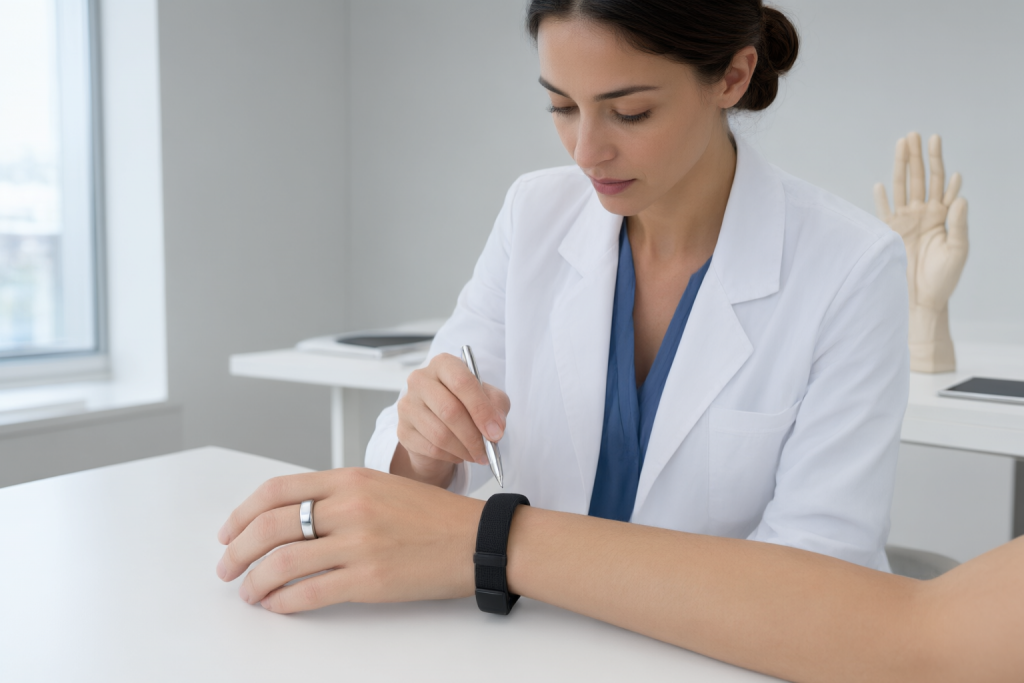
Ring vs Band Fitness: The Short Answer
For ring vs band fitness, compare the exact models on fit and interaction, outdoor GPS, overnight tracking, charging and ongoing app costs. Oura Ring 4 and Fitbit Charge 6 are documented examples, not a ranking of all rings and bands. For AIH, check the aiRing Ultra specifications and aiCare requirements separately; the Oura and Fitbit sources do not establish AIH capabilities.[source][source]
Choose a ring first if your priority is all-day and overnight comfort with minimal visual distraction, and you are comfortable checking most of your data in a companion app. Choose a band first if you want to glance at steps, heart rate, or workout stats on your wrist, and you want features such as guided exercise modes and, on some models, GPS tracking during outdoor workouts.[source][source][source]
One important caveat: GPS is not a ring-versus-band rule. Whether a wrist device has built-in GPS, uses your phone's connected GPS, or offers a dynamic mode that picks between them depends on the specific model, and some wrist trackers rely on phone-connected GPS only. Check the official documentation for the exact model you are considering rather than assuming a form factor guarantees a feature.[source]
Finally, treat both form factors as general wellness tools rather than substitutes for medical care. If you have a health concern, talk with a healthcare professional instead of relying on wearable data.[source]
| Decision | Oura Ring 4 example | Fitbit documentation example | What to verify before choosing |
|---|---|---|---|
| Fit and interaction | Oura Ring 4 is a finger-worn device; sizing and sensor orientation matter. | Charge 6 setup describes a wrist tracker with tap-and-swipe interaction. | Choose the form factor you will comfortably wear and the display interaction you need. |
| Outdoor workouts | Do not infer GPS capability from the ring form factor. | Google GPS guidance distinguishes built-in, connected and dynamic GPS on supported devices. | Check the exact model and GPS mode, including whether you must carry your phone. |
| Overnight use | Oura Ring 4 documents blood-oxygen sensing and heart-rate variability during sleep. | Charge 6 documents a nightly sleep score based on heart rate, time asleep and restlessness. | Check that the exact documented sleep features match what you want to review; these examples do not establish a diagnostic or accuracy ranking. |
| Charging | Oura lists typical Ring 4 battery life of five to eight days, with use-dependent variation. | Google GPS guidance notes that built-in GPS can drain a tracker battery faster. | Compare your intended settings and charging routine; these sources do not establish a category-wide battery winner. |
| App and ongoing cost | Check the ring manufacturer's current app and membership terms. | Charge 6 setup lists phone/account requirements and notes that some features require the app or subscription. | Verify compatibility and the ongoing cost of the exact features you plan to use. |
How Smart Rings and Fitness Bands Differ in Design
A smart ring is built around a compact, jewelry-like form. One example, the Oura Ring 4, uses a titanium exterior with recessed interior sensors and is available in sizes 4 to 15, with the company noting that fit matters for readings and that sensors should sit against the palm side of the finger.[source]
A fitness band is a wrist-worn tracker with a display. Google's documentation for the Fitbit Charge 6, for instance, describes a tracker you navigate by tapping and swiping, with stats such as steps, heart rate, and Active Zone Minutes shown on the device and synced to the Google Health app.[source]
The design difference drives everyday behavior. A ring is easier to wear unnoticed, while a band gives you immediate on-wrist feedback. Neither design is inherently better; the one you will actually keep wearing is the one that fits your habits.[source][source]
What Each Type Typically Tracks
Both form factors are built around similar core metrics. Ring documentation commonly lists heart rate, heart rate variability, respiration rate, blood oxygen during sleep, temperature trends, and movement, while band documentation commonly lists steps, sleep, heart rate, blood oxygen estimates during sleep, and stress-related signals such as electrodermal activity.[source][source]
Beyond the basics, feature sets diverge by model rather than by form factor. Some wrist trackers include an ECG app for assessing heart rhythm irregularity in supported regions, while some rings emphasize sleep staging, readiness, and recovery-style scores. Which of these you get depends on the specific product and, in some cases, on a paid membership or subscription.[source][source]
Because features vary so much, the useful question is not "ring or band?" but "which metrics do I care about, and does this exact model measure them?" Check the manufacturer's specification page or support documentation for the model you are considering.[source][source]
Activity and Workout Tracking: What to Verify
GPS is the feature most often assumed rather than checked. In Google's documentation, supported Fitbit and Pixel Watch devices may use built-in GPS, phone-connected GPS, or a dynamic mode that selects between them, and devices without built-in GPS can still capture route data through the phone app. That means you should confirm the GPS type for your specific model before buying it for outdoor workouts.[source]
Automatic activity detection is another model-specific behavior. Some trackers record activities automatically after a minimum duration, while others rely on you starting a workout manually. If hands-free logging matters to you, verify how the model handles it.[source]
Sleep and Recovery Tracking
Sleep is where the ring-versus-band choice often becomes personal. A ring's small size can make overnight wear more comfortable for some people, and ring documentation commonly includes detailed sleep analysis, sleep stages, and recovery-oriented scores. A band can also track sleep, using signals such as heart rate, time asleep, and restlessness to produce a nightly sleep score.[source][source]
Comfort is the deciding factor in practice, because sleep tracking only helps if you keep the device on all night. If a band feels bulky or a ring feels distracting, that discomfort will show up as missing data. Try to judge comfort from the actual size and weight of the model, not from the category.[source]
Recovery features also vary. Some devices emphasize readiness or resilience-style scores, while others focus on sleep scores and heart-rate trends. Check which recovery metrics the model reports and whether they require a subscription.[source][source]
Heart Health Metrics and Their Limits
Heart rate is a core metric for both rings and bands, and many models also report heart rate variability, resting heart rate, and blood oxygen estimates, often measured during sleep. Some wrist trackers add heart-rate notifications for unusually high or low readings and, in supported regions, an ECG app for assessing heart rhythm irregularity.[source][source]
Availability matters too. Features such as the ECG app may be limited to select countries or age groups, so confirm regional availability and eligibility for the model you are considering before relying on a specific heart feature.[source]
Battery, Charging, and Water Resistance
Battery life differs by model and by how you use the device. As one reference point, Oura lists typical battery life for the Ring 4 at five to eight days and notes that actual results vary with ring size, app settings, feature configuration, activity, battery age, and usage. Charging time is listed as roughly 20 to 80 minutes depending on the starting charge level.[source]
For bands, battery depends heavily on which features are active. Google notes that built-in GPS can drain a tracker's battery more quickly and recommends charging the device before GPS workouts, so a band's real-world battery life will be shorter if you use GPS regularly.[source]
Water resistance is also model-specific. Oura lists the Ring 4 as water resistant to 100 meters and suitable for sauna and water sports but not diving. For any band, check the published water-resistance rating rather than assuming swim-proofing, and follow the manufacturer's guidance for the exact model.[source]
Compatibility, Apps, and Syncing
Both form factors depend on a companion app, so app compatibility is a real decision factor. Google's setup documentation notes that the Fitbit Charge 6 works with most phones running Android 11 or newer or iOS 16.4 or newer, requires a Google Account and internet access, and that some features need the mobile app or a paid subscription.[source]
Before buying, check three things in the official documentation: which phone operating systems the model supports, whether key features require a subscription, and what permissions or settings the app needs for features you care about, such as GPS.[source][source]
Durability and Everyday Wear
Durability claims should be read per model. Oura describes the Ring 4 as having a titanium exterior with recessed sensors to enhance durability and wearability, and lists shock resistance between the circuit board and the ring frame. That tells you about one specific product, not about rings in general.[source]
Wrist trackers are exposed to different stresses, such as band wear and screen scratches, and many models let you swap the band for different materials or styles. If you plan to wear the device during physical work or contact sports, check the manufacturer's durability and care guidance for that model.[source]
In both cases, the practical test is whether the device survives your normal routine. Look for published materials, ratings, and care instructions rather than marketing adjectives.[source]
How to Choose: A Practical Checklist
Work through these checks in order, and you will usually land on a clear answer.[source][source]
Decision checks before you buy
- Decide where you want your data If you want to see stats on your wrist without opening an app, a band with a display fits better. If you prefer a screen-free experience and are happy to check the app, a ring fits better.
- Confirm the exact metrics you need List the metrics that matter to you, such as sleep stages, heart rate variability, blood oxygen during sleep, or stress signals, then verify that the specific model reports them.
- Check the GPS type if you train outdoors Confirm whether the model uses built-in GPS, phone-connected GPS, or a dynamic mode, and whether the app needs location permissions for route tracking.
- Verify subscription requirements Some features and reports may require a paid membership or subscription. Check what is included with the device and what costs extra.
- Test comfort for overnight wear Since sleep tracking depends on wearing the device all night, compare the actual size and weight of the models you are considering.
- Confirm phone compatibility and syncing Check the supported phone operating systems, the companion app, and how often the device should sync for the features you plan to use.
- Review water resistance and care Match the published water-resistance rating and care instructions to your activities, especially swimming or sauna use.
The Bottom Line
There is no universal winner in the ring-versus-band comparison. A ring tends to suit people who want discreet, comfortable, all-day and overnight wear with app-based insights, while a band tends to suit people who want on-wrist stats, guided workouts, and, on some models, GPS.[source][source]
The most reliable way to decide is to verify the specific features you care about in the manufacturer's official documentation, because battery life, GPS type, water resistance, subscriptions, and app compatibility all vary by model.[source]
Whichever you choose, use it as a wellness and motivation tool. These devices are not a substitute for professional medical advice, and you should consult a healthcare professional about any health concern.[source]
Frequently Asked Questions
Are smart rings as accurate as fitness bands?
Accuracy depends on the specific model and the metric being measured, and manufacturers publish their own accuracy information. Both form factors are designed for general wellness tracking rather than medical diagnosis, so check the manufacturer's documentation for the model you are considering instead of assuming one form factor is more accurate.
Can I wear a smart ring and a fitness band at the same time?
There is no general rule that prevents wearing both, but the supplied documentation does not describe how two devices would share or merge data in one app. If you plan to wear both, check the companion app's documentation for how it handles multiple devices or duplicate activity records.
Which is better for sleep tracking: a ring or a band?
It depends on comfort and on the metrics you want. A ring's small size may make overnight wear easier for some people, and ring documentation commonly includes detailed sleep analysis, while band documentation describes a nightly sleep score based on heart rate, time asleep, and restlessness. The device you will actually keep on all night is the better choice for you.
Do smart rings have GPS?
GPS support is model-specific rather than determined by form factor. The supplied documentation describes GPS behavior for wrist trackers, including built-in, phone-connected, and dynamic modes, and notes that devices without built-in GPS can capture route data through the phone app. Check the official specifications for the exact ring or band model you are considering.
Are smart rings waterproof?
Water resistance varies by model. As one example, Oura lists the Ring 4 as water resistant to 100 meters and suitable for sauna and water sports but not diving. For any device, check the published water-resistance rating and the manufacturer's care guidance before swimming or using it in water.
Do I need a subscription to use a smart ring or fitness band?
It depends on the brand and model. Some features, reports, or premium content may require a paid membership or subscription, while basic tracking may work without one. Check what is included with the device and what requires payment before you buy.
How often should I sync my wearable?
Syncing needs vary by device and by the features you use. Google's documentation advises syncing a Fitbit device or Pixel Watch with the Google Health app at least once every 24 hours to help built-in GPS connect faster. For other brands, follow the syncing guidance in the manufacturer's official documentation.
References
- Use GPS on your Fitbit device or Pixel Watch – Google Health Help Center — support.google.com
- Get started with the Fitbit Charge 6 – Google Health Help Center — support.google.com
- Oura Ring 4 | Oura Member Care — support.ouraring.com