
Organize Supported Device History with aiCare Before Your Appointment
AIHNET product education is most useful when it helps you do a real task. If you use several home devices, start with the question you want to discuss at your appointment, then gather the relevant readings and their context. This guide explains how the confirmed aiCare history workflow can help you locate supported records, and what you may still need to note separately.
aiCare receives, stores and presents supported readings from the aiRing, aiOxy, aiThermo, aiBP Lite/Pro, blood glucose meter and weight/body-composition scale families. Supported workflows include latest-by-device readings, device history, day samples, calendar summaries, metric history and trend summaries. These family-level capabilities do not establish every hardware variant, transport method or operating-system version. If aiRing readings are not sent right away, aiCare accepts timestamped arrays of aiRing readings in one request, which supports delayed or batched synchronization after readings reach the client; the backend does not establish an exact on-device offline storage count, duration or retention guarantee. On the care-team side, aiCare lets authorized providers review a linked patient's vital-sign history and supports remote patient monitoring enrollment, device, measurement, dashboard and report workflows.
Preparing Your Questions and Medical Records
NIH recommends preparing questions, learning how to access medical records, and asking the healthcare team which communication method it prefers.[nih.gov]
Keep three layers separate: the original device reading, the history or trend shown by the software, and the clinical meaning discussed with your healthcare professional. A software graph does not diagnose the cause of a symptom, establish a treatment response or tell you how to change medicines.
An Organizer for Your Medical Appointment
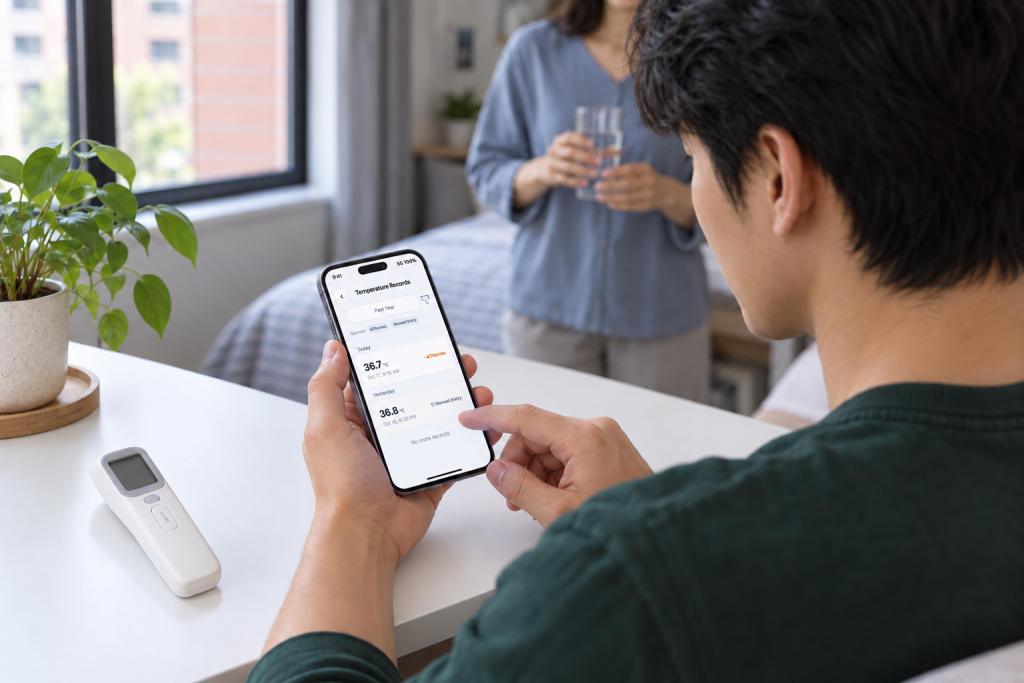
Begin with the question for this visit. Select the relevant period in aiCare and review the available device history or trend. Keep the original values, units and device sources; do not blend different measures into a single health score or change a reading to make a trend look consistent.
Use the organizer as a separate visit-preparation note wherever the corresponding field is not available in your app. For example, a symptom description or question may need to be kept alongside the measurement history. This editorial template does not claim that aiCare already offers these exact fields, a PDF export or a particular sharing screen.
An authorized provider can review a linked patient’s vital-sign history through supported aiCare workflows. A consumer account or device purchase does not automatically enroll someone in RPM or allow any clinician to access the records. Ask the receiving team how it wants to review your information and confirm that the intended person can access it.
Before the appointment, check that you can find the selected history again. If information is missing, note which device and date you expected to see, keep the original record if available, and ask support about that specific workflow. Do not assume that all hardware stores the same amount of offline data or uploads in the background.
| Item | Your note | What to confirm |
|---|---|---|
| Visit question | The main question I want to discuss: ____ | Which readings are useful for this question? |
| Records and context | Dates, metric, unit and device: ____ | Does the team need original readings or another format? |
| Symptoms and current care | What I noticed and what actually happened: ____ | Which details should I explain at the visit? |
| Access and handoff | Who will review the record and how: ____ | Can the intended recipient access the requested information? |
| Follow-up | Question still unanswered; person to contact: ____ | What should I do next, and whom should I contact? |
Record Limits and Next Steps
This workflow organizes information for a conversation; it is not a test, a treatment plan or emergency monitoring. Keep clinical questions with your care team. A complete worksheet is not a condition for seeking help, and a message or upload confirmation is not proof that a clinician has reviewed your record.
If temperature records are your immediate task, the aiThermo temperature-log guide explains which measurement details to keep separate.
Frequently Asked Questions
Which home readings can aiCare organize?
Confirmed service information covers supported device-family readings including blood pressure, glucose, temperature, blood oxygen, ring metrics and scale measurements, with history and trend workflows. Check the exact product and workflow before assuming a transport method or operating-system version.
Can my doctor automatically see my history?
Provider review requires authorization and a linked patient relationship in the supported workflow. A purchase or consumer account does not give every clinician access or automatically enroll you in RPM.
Does the organizer mean aiCare has an export or notes feature?
No. The organizer is an editorial visit-preparation tool. Where an app field or export is not confirmed, keep that information separately and ask the receiving team how it wants the record.
Can I use a trend to change medicines?
Do not treat this organizer or an app trend as a medication plan. Discuss treatment questions with your healthcare team and follow the plan it provides.