
How to Choose a Blood Pressure Cuff Size: The Short Answer
To choose a blood pressure cuff size, measure your mid-upper-arm circumference with a flexible tape measure, then compare that number with the exact arm range labelled for your specific monitor and its supplied cuff. Use the labelled range rather than a generic name such as "small" or "large," because manufacturers do not size cuffs consistently, and Target:BP advises checking the device specifications for the arm circumferences a cuff covers.[source]
If your measurement falls inside the labelled range, the supplied cuff is intended to fit and wrap as designed. If it falls outside the range, the cuff may not fit or wrap as intended, and the practical next step is to ask the seller or support for a documented compatible option, or to look at a different appropriate setup.[source]
Cuff fit is worth getting right because cuff selection is part of how a blood pressure reading is obtained. In a randomized crossover trial of adults using an automated device, using a regular cuff regardless of arm size produced readings that differed from readings taken with an appropriately sized cuff, and the differences were larger for people who needed larger cuffs. That trial describes a study population; it is not a correction formula for your own readings, and aiBP Lite was not part of it.[source]
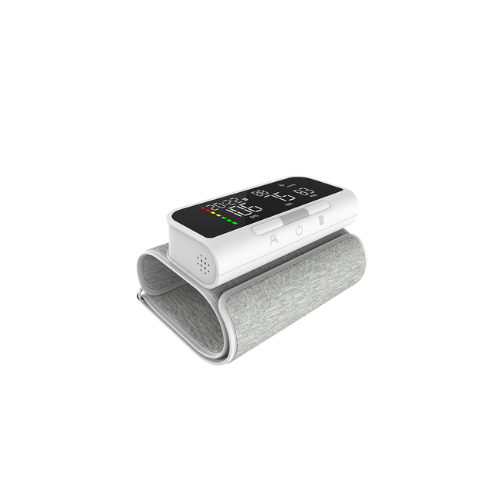
For the confirmed aiBP Lite upper-arm monitor (model AOJ-33A), the supplied cuff is labelled for an arm range of 22-42 cm. That figure is a manufacturer-stated product specification, not a finding from Target:BP or from the cuff-size trial.
Measuring Your Upper-Arm Circumference at Home
You can get the number you need with a flexible tape measure in a few minutes. Target:BP describes measuring around the bicep at mid-arm to determine arm circumference in centimetres. This is a general measuring method for comparing against a labelled cuff range; it is not a health assessment, and this article does not tell you what your measurement means for your health.[source]
Measuring your mid-upper-arm circumference
- Use a flexible tape measure A soft tape follows the curve of the arm more easily than a rigid ruler.
- Find the midpoint of the upper arm Locate the midpoint between the shoulder and the elbow.
- Wrap the tape around that midpoint Keep the tape snug but not tight, and make sure it sits level around the arm.
- Record the number Write down the measurement in centimetres so you can compare it with your monitor's labelled cuff range.
Your Arm-to-Model-to-Cuff Decision Worksheet
Once you have your measurement, the decision comes down to a short set of checks. The worksheet below is a way to organise them; it is not a substitute for the device documentation or for advice from your healthcare professional.
| Check | What to record | Why it matters |
|---|---|---|
| Your measured circumference | Your mid-upper-arm measurement in cm | This is the number you compare against the labelled range |
| Exact monitor model | The full model name or number on the device and packaging | Cuff ranges differ between models, so the model identifies which range applies |
| Labelled cuff arm range | The arm range printed for the supplied cuff | This is the range to compare with, not a generic small/large label |
| Does the range include your measurement? | Inside or outside the labelled range | Inside means the supplied cuff is intended to fit; outside means it may not fit or wrap as intended |
| Documented compatible option or question for seller/support | Any documented compatible cuff option, or the question you will ask | Confirms what is actually supported for your model before you rely on it |
A Hypothetical Example: A 44 cm Arm
Imagine a person measures 44 cm at mid-upper-arm. That number is outside the 22-42 cm range confirmed for the supplied aiBP Lite cuff. In that situation, the practical step is to ask the seller or support whether a compatible option is documented for the exact model, or to consider a setup whose labelled range covers the measurement.
This example is hypothetical and does not imply that an arbitrary larger replacement cuff can be attached to aiBP Lite. Compatibility needs to be documented for the exact model, and this article does not promise that any particular replacement cuff is available or supported.
Why Appropriate Cuff Selection Matters
The Cuff(SZ) randomized crossover trial studied adults using an automated blood pressure device. Participants were measured with an appropriately sized cuff and with a regular cuff regardless of their arm size. The regular cuff produced readings that differed from the appropriately sized cuff, and both the direction and the size of the difference depended on how far the cuff was from the appropriate size.[source]
Read that finding as a reason to check the labelled range before you rely on a monitor, not as a way to adjust or reinterpret a number you have already recorded. This article does not provide a correction formula, and it does not claim that aiBP Lite was studied in that trial.
What Cuff Fit Guidance Can and Cannot Tell You
For questions about your blood pressure or your monitoring plan, speak with your healthcare professional. For questions about the device itself, such as cuff fit, setup, or supported features, the product documentation and support are the right places to look. If you already keep home readings, our guide to what to bring to your next appointment with a home blood pressure log is a practical next step.
Frequently Asked Questions
What cuff size does the aiBP Lite upper-arm blood pressure monitor use?
The supplied upper-arm cuff for aiBP Lite is labelled for an arm range of 22-42 cm, as a manufacturer-stated specification. That range describes the arm sizes the supplied cuff is designed to fit. It does not interpret a reading or indicate what any measurement means for your health.
How do I measure my upper-arm circumference to compare with a cuff range?
Use a flexible tape measure around the midpoint of the upper arm between the shoulder and elbow, keeping it snug but not tight, and record the number in centimetres. Then compare that number with the arm range labelled for your monitor and its supplied cuff. This is a general measuring method, not individualised medical advice, and this article does not interpret the measurement.
What should I do if my arm measurement is outside the labelled cuff range?
If your measurement falls outside the labelled range, the cuff may not fit or wrap as intended. Ask the seller or support for a documented compatible option for your exact model, or consider a different appropriate setup. This article does not recommend a specific cuff or provide individualised sizing advice.
Does cuff size affect blood pressure readings?
Cuff selection is part of how a reading is obtained. In a randomized crossover trial of adults using an automated device, using a regular cuff regardless of arm size produced readings that differed from those taken with an appropriately sized cuff. That study did not involve aiBP Lite, and this article does not use it to correct or reinterpret your own readings.
Can I attach a larger replacement cuff to aiBP Lite if my arm is bigger than the labelled range?
Compatibility of any replacement cuff with aiBP Lite is not confirmed here. Rather than assuming a larger cuff will attach, ask the seller or support whether a compatible option is documented for the exact model, or look at a different appropriate setup.
Does a correct cuff fit mean the monitor is accurate for me?
No. A correct fit means the supplied cuff is designed to fit your arm. For questions about your readings, speak with your healthcare professional.
References
- https://pmc.ncbi.nlm.nih.gov/articles/PMC10407761/ — Authoritative source
- https://targetbp.org/patient-measured-bp/implementing/smbp-selecting-the-right-cuff-size/ — Authoritative source