
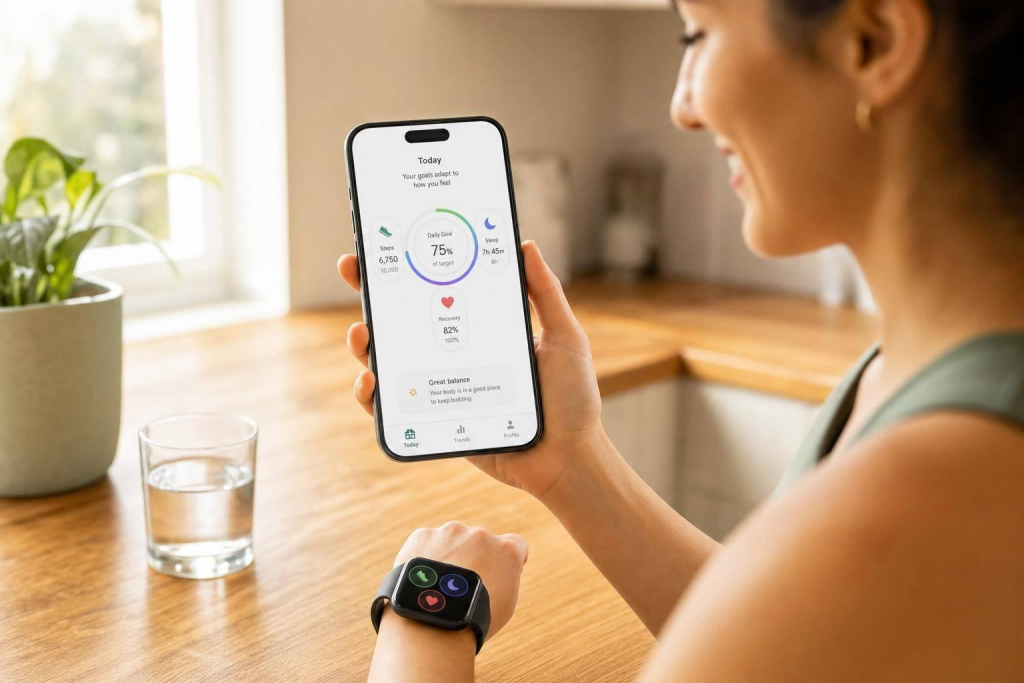
Most health goals fail for one simple reason: the target does not match your day. AI-based tracking fixes that by using your wearable data, health history, sleep, posture, heart rate, and recovery signals to set goals that fit your current state.
Here’s the short version:
- I start with my baseline, not a generic target
- The system checks sleep, HRV, resting heart rate, posture, steps, and sedentary time
- It changes daily goals when recovery is low, pain flares up, or activity drops
- I can set hard limits like no lifting over 10 lbs or stay under 130 BPM
- I can tune alerts, posture sensitivity, sitting reminders, and sampling frequency
- Weekly trend reviews matter more than day-to-day swings
- In one 12-week Fitbit review, AI goal setting beat non-AI goal setting by 4.31%
This article explains the full process in plain English: how AI learns my normal patterns, turns that data into step, sleep, posture, and recovery targets, and then keeps those targets in line with my condition and clinician limits.
It also shows how AIH LLC’s aiSpine, aiRing, and AIH Health App work together for spine care and chronic-condition tracking in the U.S., with a focus on safer goal changes over time.
How AI Builds Personalized Health Goals
How AI Learns Your Baseline From Wearables and History
AI doesn’t begin with a goal. It begins by watching your patterns.
Before it suggests anything, the system looks at data like age, gender, weight, height, heart rate, step count, sedentary time, sleep patterns, and posture events. That gives it a sense of what’s normal for you, not what’s normal for some average person.
That baseline matters a lot. The AI uses it to decide whether today looks normal, recovery-focused, or like a setback. Machine learning algorithms review past trends to tell the difference between a short dip and a real drop in fitness or recovery. And that baseline keeps changing as your habits change. It’s not a one-time snapshot.
Researchers Ji Fang et al. explain this through Fitness-Fatigue theory: the fitness-fatigue model treats each session as building long-term fitness gains while also creating short-term fatigue, which helps the system judge readiness.
That baseline then becomes the reference point for every target the system sets.
How AI Converts Baseline Data Into Target Metrics
Once the baseline is in place, AI turns those patterns into daily targets for steps, activity minutes, posture, sleep, and recovery.
Those targets don’t stay fixed. If the system picks up high fatigue, poor sleep from the night before, or a pattern of missed sessions, it reshapes the targets instead of letting you drift further off track. In a 12-week retrospective Fitbit study, adaptive goal-setting adjusted exercise targets to match actual capacity. Adaptive AI strategies outperformed non-adaptive strategies by 4.31% in effectiveness.
The system also changes targets based on experience level. Beginners get goals built on an additive model, while advanced users are tracked with a multiplicative model. In plain English, target scaling needs to fit where the user is in their training stage.
How AIH LLC Connects Multi-Device Data
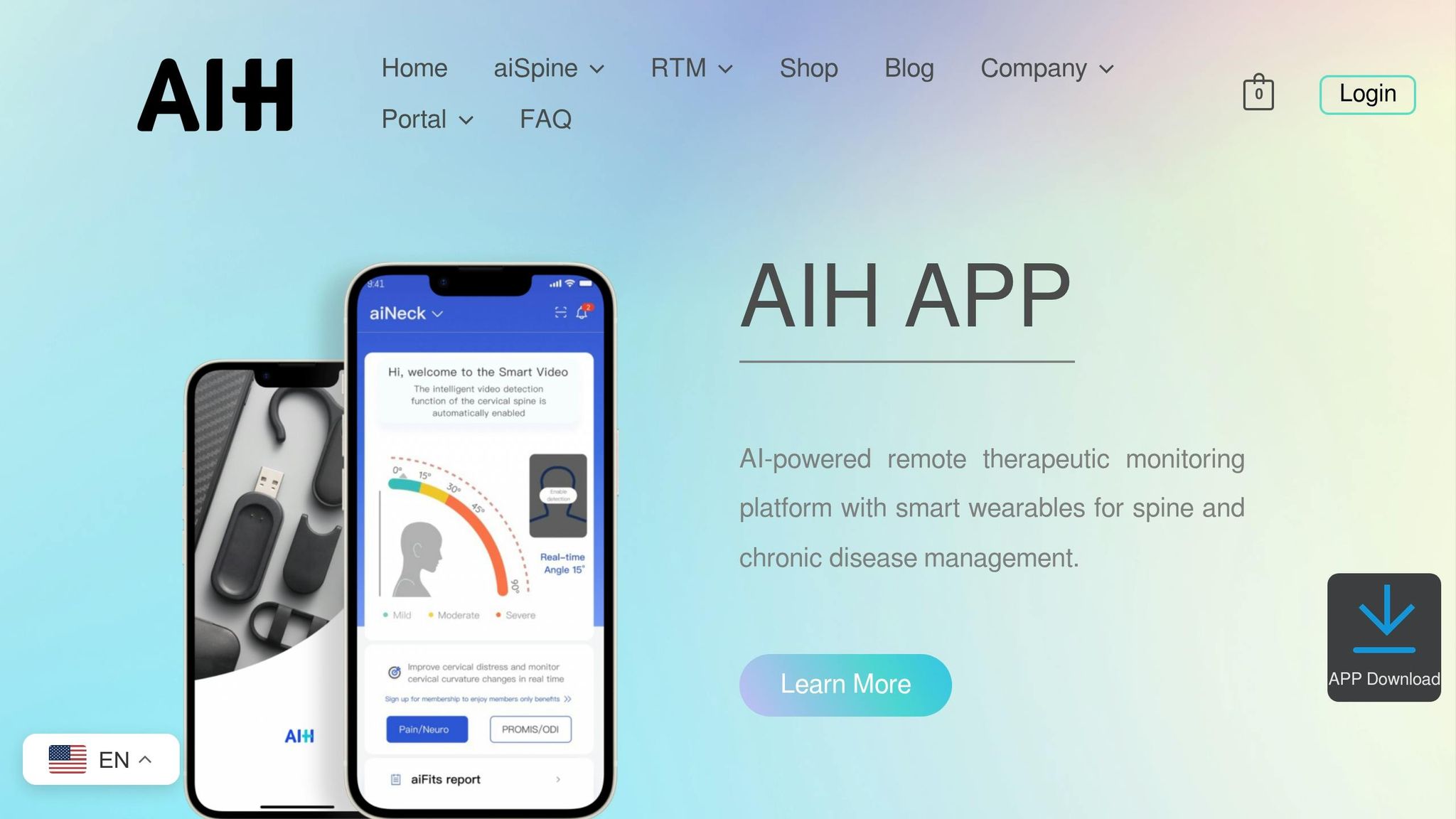
AIH LLC brings together aiSpine, aiRing, and the AIH Health App to combine posture, vital signs, and app data.
That matters because posture, activity, and physiology all feed into the same goal decisions. A bump in sedentary time can show up alongside a higher heart rate and broken sleep. When those signals sit in one place, the pattern is easier to spot. The AIH Health App pulls them into one view for remote therapeutic monitoring and real-time personalized feedback, including vital signs such as heart rate and blood oxygen level.
With the baseline set, the next step is linking devices and entering the goals the system will track.
sbb-itb-44aa802
How to Optimize Your Health and Fitness Resolutions With AI (And Actually Stick to Them)
Set Up Your Data, Preferences, and Devices
Once AI has your baseline, the next step is to connect your devices and set the limits it needs to follow. This part matters more than people think. A clean setup gives the system the right starting point, so it can tailor goals from day one instead of guessing.
Connect Wearables and Enable Data Sharing
Pair the aiRing and aiSpine in the AIH Health App. Then turn on Bluetooth and background access so data keeps syncing during the day.
Wear aiSpine in the position that stays most stable during normal movement. That helps the system get steadier readings instead of a messy signal. Try to wear it for most of the day, too. The more consistent the wear time, the better AI can map your recovery and strain patterns.
After pairing, check that your posture, heart rate, and activity data all show up in one dashboard. If something looks off or data is missing, go back and check permissions first.
Enter Your Health Profile, Goals, and Limits
Add your age, weight, height, sex, diagnoses, medications, and any limits set by your clinician. The details here aren’t just for recordkeeping. They shape what the system will and won’t suggest.
Specific diagnoses matter. If you enter a condition like L4-L5 herniation or scoliosis, the system can apply safety filters that leave out activities that may be a bad fit for your condition. The same goes for hard limits from your clinician. If you’ve been told no lifting over 10 lbs or to stay under 130 BPM, enter those as direct constraints so the AI does not push past them when it adjusts targets.
Key inputs to complete:
- Diagnoses and surgical history – filters out movements that could aggravate certain injuries
- Safety limits – pain threshold, max heart rate, and range-of-motion limits that trigger rest suggestions
- Daily preferences – preferred activities, quiet hours, and alert frequency
- Recovery data – sleep windows and perceived exertion (RPE)
- Current activity level – enter this honestly; an inflated baseline can lead to goals that are too aggressive right away
Once your devices and limits are in place, AI can start tracking the right metrics and thresholds. From there, the next step is picking the exact metrics and alert rules you want it to watch.
Customize Tracking Metrics, Targets, and Alerts
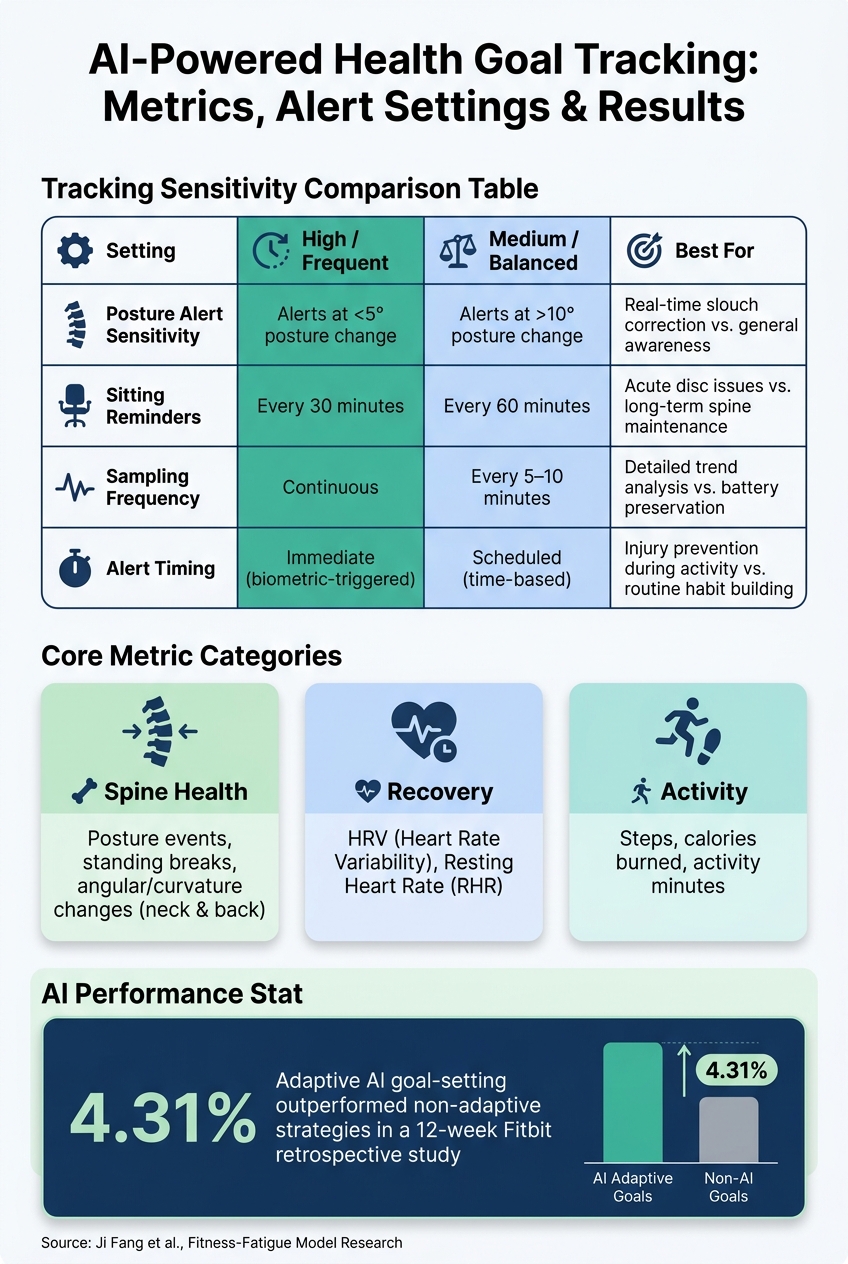
AI vs. Non-AI Health Goal Tracking: Settings, Metrics & Performance
Next, decide which metrics AI should watch, what “good” looks like, and when it should step in. The point is simple: turn raw wearable data into a short list of targets you can actually use day to day. Start with the metrics tied to your main goal, then set target ranges and alert timing.
Choose the Right Metrics for Spine Health, Activity, Sleep, and Recovery
Once your data is coming in, tell AI which signals matter most. Don’t track everything just because you can. Stick with the few metrics that line up with the goal. One simple way to do this is to take one big goal, like managing chronic pain or sleeping better, and break it into daily metrics that show progress.
For spine health, watch these core metrics: angular and curvature changes in the neck and back, activity levels, calories burned, posture events, and standing breaks. For sleep goals, track sleep stages along with recovery markers like HRV. For chronic disease support, focus on vital signs, respiratory status, musculoskeletal status, therapy adherence, and recovery markers such as HRV and resting heart rate (RHR).
It helps to sort these into plain, easy goal groups:
- Spine Health: posture events and standing breaks
- Recovery: HRV and RHR
- Activity: steps and calories
That way, the dashboard feels less like a data dump and more like a set of signals you can act on.
Use AI-Suggested Targets and Adjust Tracking Sensitivity
Don’t guess at targets if the app can give you a starting point. The AIH Health App’s Smart Suggestions recommends metrics to watch based on your health profile and the goals you’ve already set.
Then adjust sensitivity so AI responds at the right level. Too many alerts, and you’ll tune them out. Too few, and you may miss patterns that matter.
| Setting | High / Frequent | Medium / Balanced | Best For |
|---|---|---|---|
| Posture Alert Sensitivity | Alerts at less than 5° of posture change | Alerts at more than 10° of posture change | Corrects slouching in real time vs. general awareness |
| Sitting Reminders | Every 30 minutes | Every 60 minutes | Acute disc issues vs. long-term spine maintenance |
| Sampling Frequency | Continuous | Every 5 to 10 minutes | Detailed trend analysis vs. battery preservation |
| Alert Timing | Immediate (biometric-triggered) | Scheduled (time-based) | Prevents injury during activity vs. routine habit building |
If you’re in active recovery from a disc issue, high sensitivity and 30-minute sitting reminders make sense for short-term recovery. If your goal is long-term spine maintenance, medium sensitivity is often easier to live with and less disruptive.
Set Goal Rules for Spine and Chronic Disease Use Cases
After you pick your metrics and alert levels, set the rules that tell AI when to change goals.
For spine-focused goals, build those rules around aiSpine posture events and the angular changes in your neck and back. Then match the sensitivity level to the situation: high sensitivity for active recovery, or medium sensitivity for day-to-day habit support.
The same setup works for chronic disease tracking. Use trends in vital signs and recovery data to guide progression rules. If your RHR climbs or HRV drops below your personal baseline, AI can automatically scale back training intensity or shift goal targets so you don’t push into unsafe strain.
If your goals tie to a diagnosed condition or a recovery plan, keep targets inside clinician limits. AIH LLC’s Remote Therapeutic Monitoring (RTM) service gives a care team a way to review your data and guide goal changes from a distance.
Use AI Feedback to Refine Goals Safely Over Time
Once your metrics and alerts are in place, stick with a simple loop: track, review, adjust, repeat. After your tracking rules go live, use that feedback loop to decide whether each goal should stay the same, go up, or come down.
Review Progress Reports and Accept Smart Goal Adjustments
Focus on weekly summaries. Daily readings can bounce around too much to be useful. In the AIH Health App, look at adherence, posture strain, and recovery trends instead of reacting to day-by-day scores.
If your HRV has stayed steady and your sleep timing is consistent, it makes sense to accept an AI-suggested goal increase. If your resting heart rate is climbing, lower the target or pause progression.
For spine-specific goals, pay close attention to posture strain events logged by aiSpine. If angular changes in your neck or back have been getting worse across several days, scale back activity targets before discomfort turns into a bigger issue. If you’re managing a chronic condition, put more weight on therapy adherence and recovery response than calorie burn.
Use those trend checks to decide if real-time alerts still make sense.
Configure Alerts, Share Reports, and Keep Data Accurate
Use real-time alerts only when they help in the moment, like posture correction or acute strain. For trend review and goal changes, daily or weekly summaries are the better fit.
You can use Remote Therapeutic Monitoring (RTM) to share wearable data, along with pain, sleep, and symptom notes, with your care team. In the U.S., use the platform’s built-in privacy controls to manage exactly what gets shared and who can see it.
Key Takeaways for Long-Term Success
Long-term progress usually comes from small, safe changes, not from reacting to every daily swing. Review trends each week and adjust goals carefully. Only accept AI-suggested changes when your recovery signals support them. If illness, travel, or schedule changes throw things off, log that context in the app so the AI can keep its recommendations accurate.
FAQs
How long does AI need to learn my baseline?
Your wearable device usually needs about 1 week of steady data collection to set your personal health baseline. It does this by looking at signals like heart rate variability, movement speed, and resting heart rate.
After that first week, accuracy keeps getting better. The AIH Health App can shift from broad guidance to more specific, predictive insights after 10 to 15 days. And some systems use a 28-day rolling window to fine-tune personalization even more.
What happens if my wearable data is missing or inconsistent?
If wearable data is missing or inconsistent, the AIH Health App uses data normalization to help keep results accurate. It automatically adjusts for sensor differences and filters out outliers, like readings that clearly don’t make sense.
When information is missing, the system fills in data gaps so it can keep a steady health profile. That helps the AI continue giving reliable, personalized insights, even when recording drops out for a bit or raw sensor data comes in noisy.
Can AI adjust goals without exceeding my clinician’s limits?
Yes. AI health tracking systems use evidence-based guardrails and clinical guidelines to keep goal changes within the limits set for your health needs.
For example, the AIH Health App compares your patterns against established medical guidelines to give you personalized, safe feedback without pushing past needed clinical boundaries.