
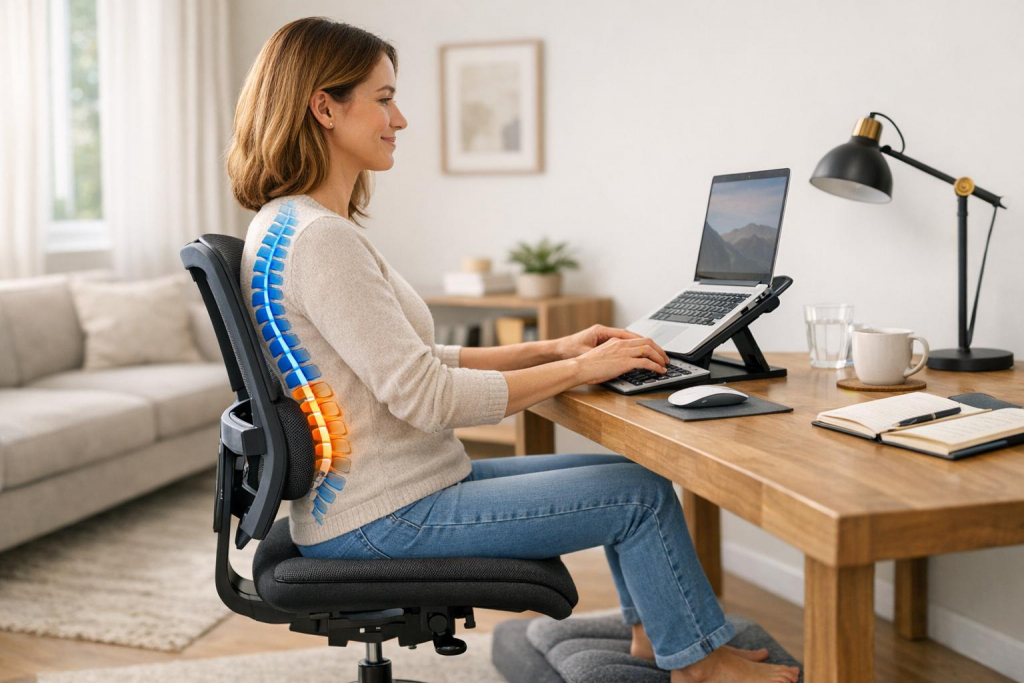
Working from home can harm your spine if your setup and habits aren’t right. Poor posture, improper desk setups, and long hours sitting can lead to neck and back pain. The good news? Small changes can make a big difference. Here’s what you need to know:
- Workspace Setup: Use a supportive chair with lumbar support, keep your monitor at eye level, and avoid working from couches or beds.
- Posture: Sit with your back straight, feet flat on the floor, and elbows at a 90-degree angle.
- Movement Breaks: Stand, stretch, or walk every 30–60 minutes to reduce strain.
- Tech Tools: Devices like aiSpine can monitor your posture and help you stay aligned.
- Strengthening Exercises: Core and back exercises, such as planks and stretches, can support your spine.
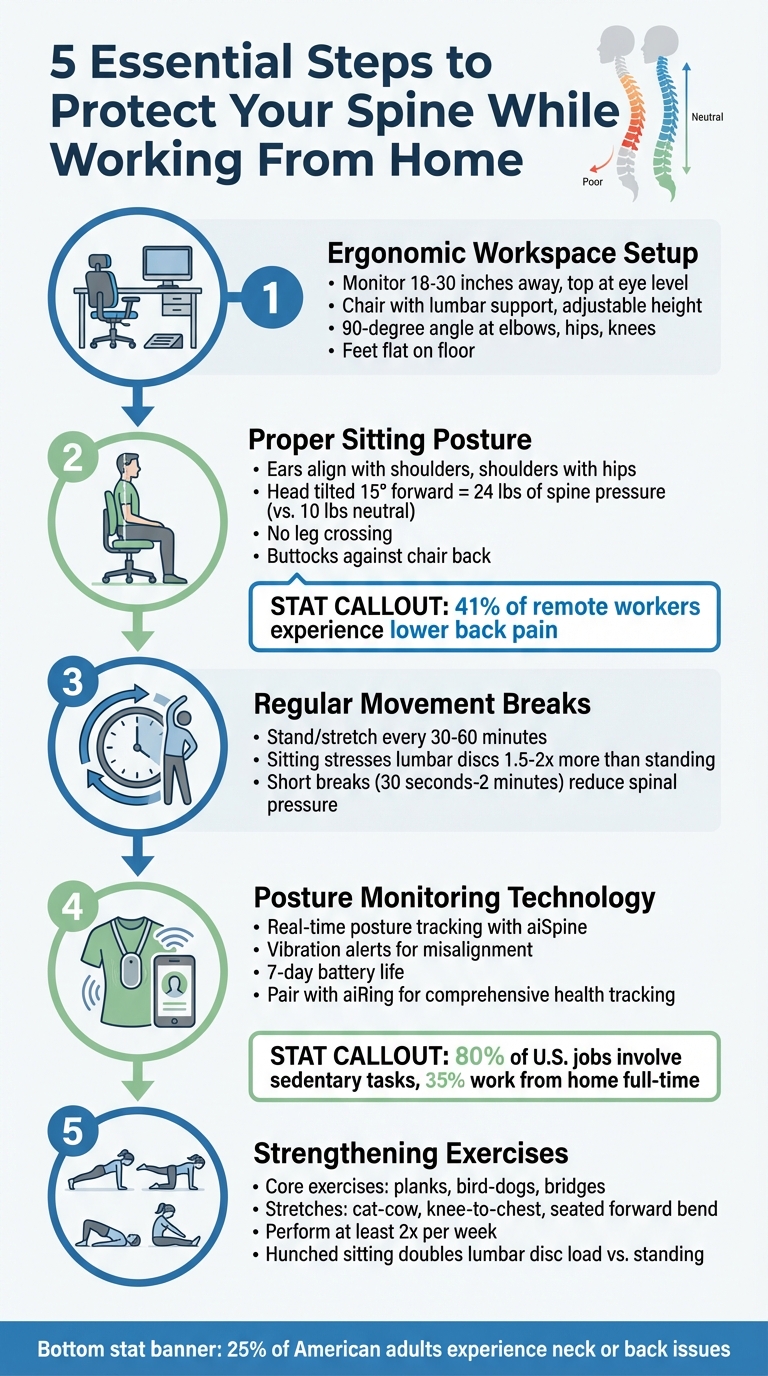
5-Step Guide to Ergonomic Home Workspace Setup for Spine Health
Protecting Spinal Health When Working From Home – Dr Stu McGill | Modern Wisdom Podcast 270

Set Up an Ergonomic Home Workspace
How you arrange your workspace can make or break your comfort. A proper setup helps maintain a neutral posture – where your body isn’t awkwardly bent or twisted – minimizing the risk of discomfort or injury. Here’s how to create a workspace that supports your body.
Choose the Right Chair and Desk
A good chair is the foundation of an ergonomic workspace. Look for one that supports your spine’s natural curves, with adjustable height, lumbar support, and armrests to keep your shoulders relaxed. The lumbar support should fit snugly into the curve of your lower back. If it doesn’t, a rolled towel or small pillow can do the trick.
Adjust the chair so your elbows form a 90-degree angle when your hands rest on the desk. Your feet should lie flat on the floor, with your knees level with your hips. If your feet don’t reach the ground, use a footrest, a sturdy box, or even a stack of books. Also, make sure there’s about a fist-width gap between the back of your calves and the front edge of the chair.
When it comes to desks, choose one that allows your wrists to stay straight and neutral while typing. Adjustable or sit-stand desks are great because they let you switch positions during the day. If your desk is too high, raise your chair and use a footrest. If it’s too low, prop the desk up with blocks to bring it to the right height.
Position Your Monitor and Keyboard Correctly
Your monitor should sit 18–30 inches away from you, with the top 1 to 2 inches of the screen at eye level. This keeps your neck in a neutral position. If you wear bifocals, lower the monitor slightly – about 1 to 2 inches more – so you don’t have to tilt your head back to see the screen.
For laptop users, an external keyboard and mouse are essential. Laptops force you to compromise between screen height and keyboard placement, which isn’t ideal. Instead, elevate your laptop on a stand or a stack of books, and connect an external keyboard and mouse. This setup ensures your elbows stay at that perfect 90-degree angle. Keep the mouse close to the keyboard to avoid unnecessary reaching, which can strain your shoulder.
Lastly, position your monitor at a 90-degree angle to windows to reduce glare. This not only helps your eyes but also encourages proper posture throughout your workday.
Use Proper Sitting Posture
Even with an ergonomic workspace, the way you sit plays a big role in maintaining a healthy spine. Your posture while seated can either reduce or amplify the strain on your spine and muscles. A 2020 survey revealed that 41% of remote workers experienced lower back pain, while 23.5% dealt with neck pain – and for half of those with neck pain, the discomfort worsened after transitioning to working from home.
Keep Your Spine in Neutral Alignment
A good workspace setup is only effective if your sitting posture supports your spine’s natural alignment. To maintain a neutral position, keep your body vertically aligned: your ears should line up with your shoulders, and your shoulders should align with your hips. This alignment helps evenly distribute your body weight, reducing the workload on your muscles.
"Your head is like a 10-pound bowling ball when your spine is in a neutral position. And if you get into the wrong position, your spine takes on more of that weight." – Dr. Andrew Bang, Chiropractor, Cleveland Clinic
When you tilt your head forward by just 15 degrees – like when looking at a low screen – the strain on your spine increases from 10 pounds to 24 pounds. Looking down at documents can add nearly 40 pounds of pressure. Keeping your head centered and level helps avoid this "turtle neck" posture.
Stick to the 90-degree rule: make sure your elbows, hips, and knees are all bent at roughly 90 degrees. Rest both feet flat on the floor – don’t cross your legs or tuck one foot under you. Crossing your legs disrupts pelvic balance and restricts blood flow. Distribute your weight evenly across both hips, and sit with your buttocks pressed against the back of the chair to prevent your pelvis from tilting forward or backward.
"When your spine is properly aligned, you benefit from optimum use of your muscles. When your spine is out of alignment… your muscles work harder and become fatigued more easily, and this imbalance can lead to muscle and joint pain." – Kushagra Agarwal, Founder, LookAway
To reinforce good posture, consider adding a few simple accessories to your workspace.
Utilize Support Accessories
Supportive accessories can make a big difference in maintaining neutral alignment. A lumbar cushion helps preserve the natural inward curve of your lower back. Without this support, your spine may round outward, increasing pressure on the discs and leading to muscle fatigue. If you don’t have a lumbar cushion, a small pillow or a rolled-up towel can work just as well.
Wrist supports are another helpful addition, keeping your wrists straight and neutral while typing. This can prevent nerve compression in the carpal tunnel. However, make sure the base of your palm rests lightly on a firm surface. Avoid overly soft, squishy wrist rests, as they can cause your wrist to sink and compress the tendons in your fingers.
Take Regular Movement Breaks
Once you’ve fine-tuned your workspace and posture, the next step to protect your spine is incorporating regular movement into your routine. Sitting in one position for too long can strain your back and neck. Your spine thrives on movement – remaining static places constant pressure on your discs and muscles, making it harder for them to recover. In fact, sitting can stress your lumbar discs 1.5 to 2 times more than standing does.
"Being static in one posture for a long period of time is the culprit of many injuries and strains while working." – William D. Smith, DC, Northwestern Medicine
Moving regularly isn’t just about comfort – it’s essential for your overall health. It improves blood flow, prevents pooling in your legs, and lowers the risk of conditions like deep vein thrombosis. Even short breaks, lasting just 30 seconds to 2 minutes, can reduce spinal pressure and boost circulation. These small, consistent movements can make a big difference.
Set Reminders to Stand and Stretch
Use timers or alarms to remind yourself to stand and stretch every 30 to 60 minutes. When the reminder goes off, take a moment to relieve sitting pressure with simple stretches like back arches or neck rolls.
Everyday tasks can also serve as natural cues for movement. Take phone calls standing up or use trips to refill your water bottle as opportunities to move. These small habits add up, helping you stay active throughout the day.
Switch Between Sitting and Standing
Alternating between sitting and standing is another effective way to support spinal health. A sit-stand desk or desk converter can help you shift postures easily, restoring your spine’s natural S-curve and counteracting the harmful C-curve that develops from prolonged sitting. Standing also activates your glute muscles, which play a key role in maintaining alignment.
"The goal is to create more of an S-curve in the spine rather than a C-curve that occurs when sitting for long periods of time." – William D. Smith, DC, Northwestern Medicine
sbb-itb-44aa802
Use AIH LLC Technology for Posture Monitoring and Spine Health

Maintaining good spinal health has become increasingly important, especially with the shift toward remote work. With over 80% of U.S. jobs now involving mostly sedentary tasks and about 35% of employees working from home full-time, keeping an eye on your posture is more crucial than ever. AIH LLC offers technology that not only enhances your ergonomic setup but actively helps you maintain proper posture throughout the day. Their wearable devices are designed to track and guide your posture, making it easier to stay aligned and avoid strain.
Track Your Posture with aiSpine
The aiSpine device is your ally in preventing issues like "Tech Neck" and disc compression caused by slouching or leaning forward. It provides real-time monitoring of your spinal alignment and gently vibrates whenever you fall out of a neutral spine position, reminding you to correct it right away. Lightweight and versatile, you can wear aiSpine in any position. It connects seamlessly to the AIH Health App via Bluetooth 4.0, where it records your posture data. Plus, with a battery life that lasts up to seven days, it easily fits into your daily routine without constant recharging.
Add aiRing for Complete Health Tracking
For a more comprehensive approach to health monitoring, pair aiSpine with the aiRing. This device works alongside the AIH Health App to track vital signs like blood pressure and respiratory health – key factors since poor posture can strain neck vessels and compress the chest cavity, reducing lung capacity. The aiRing also monitors hydration levels, which play a role in maintaining the cushioning of your spinal discs. Additionally, it tracks your sleep quality, helping you identify if pillow height or sleep positions are contributing to stiffness. Stress levels, which can negatively impact posture, are also monitored. By combining these metrics with your posture data, the app provides tailored recommendations to help you stay healthy and aligned, even during long hours of remote work.
Add Spine-Strengthening Exercises to Your Daily Routine
Once you’ve set up an ergonomic workspace and improved your posture, the next step is to focus on strengthening the muscles that keep your spine supported. Key muscle groups like your core, glutes, and back play a crucial role in stabilizing your movements, minimizing the risk of injuries, and maintaining proper alignment. Sitting in a hunched-forward position can actually double the load on your lumbar discs compared to standing upright.
Stretch to Ease Stiffness
Stretching is a simple yet effective way to combat stiffness and tension. Try these moves to keep your spine limber and mobile:
- Cat-Cow Stretch: While on your hands and knees, inhale as you arch your back and exhale as you round it. This movement helps improve spinal mobility.
- Knee-to-Chest Stretch: Lie on your back, bring one knee toward your chest, and hold for 5–10 seconds. This can provide relief for your lower back.
- Seated Forward Bend: While seated, reach forward to stretch your spine and hamstrings.
As Dr. Evan Johnson puts it:
"Motion is lotion for your body".
Build Core Strength
A strong core is essential for supporting your spine. Incorporate these exercises into your routine:
- Planks: Hold your body in a straight line from head to heels for 20–60 seconds.
- Bird-Dogs: Start on your hands and knees, then extend your right arm and left leg simultaneously. Alternate sides, performing 10–15 reps per side.
- Bridges: Lie on your back with your knees bent, lift your hips off the ground, and hold for 5 seconds before lowering back down.
Aim to do these exercises at least twice a week to keep your spine strong and resilient.
Conclusion
Protecting your spine while working from home doesn’t have to be complicated. By blending ergonomic adjustments, mindful posture, regular movement, technology like AIH LLC tools, and daily strengthening exercises, you can significantly reduce the risk of chronic back or neck pain.
But remember, no single solution works on its own. Even the best ergonomic chair won’t save your spine if you sit still for hours. As Andrew Bang, DC, from Cleveland Clinic, puts it:
"When it comes to good ergonomics, it’s really about positioning yourself to avoid injury, pain and fatigue and just improve your overall work performance."
Start with the basics: adjust your monitor and chair for proper alignment, sit with good posture, and make time for movement. Tools like aiSpine can be a helpful companion, offering real-time posture tracking and gentle reminders to keep you on track.
It’s worth noting that around 25% of American adults experience neck or back issues at some point. While most acute pain resolves within 30 days, early preventive measures can make a big difference. The strategies in this guide work together to ease strain on your spine, boost circulation, and strengthen the muscles that support a healthy back.
Taking small steps today can save you from bigger problems down the road. Make your spine a priority – it’s an investment in your long-term well-being.
FAQs
What should I look for in an ergonomic chair to protect my spine while working from home?
When selecting an ergonomic chair to support spine health, focus on features designed to maintain your body’s natural alignment. Start with adjustable lumbar support to match the curve of your lower back, and opt for a seat with a waterfall edge to ease pressure on your thighs. A chair equipped with a recline mechanism – allowing the backrest to tilt between 100° and 110° – and seat-depth adjustment can help align your hips properly and reduce spinal compression.
Key features to look for include height-adjustable armrests (preferably 4-D) to keep your elbows at a comfortable 90° angle without straining your shoulders, along with a seat-height adjustment to ensure your feet rest flat on the floor or a footrest. A chair with a swivel base and back-tilt/tension controls adds flexibility and helps you maintain a neutral spine posture throughout the day. For extra neck support, you may want to consider chairs with optional headrests. Together, these features can minimize strain and encourage better posture, making long hours of remote work more comfortable.
How often should I take breaks to stretch and move while working from home?
When working from home, it’s a good idea to take a quick break to stretch or move around every 30 minutes to an hour. These short breaks can help ease stiffness, improve your posture, and keep your spine healthy.
To make this a habit, try setting a timer or using reminders. Even simple activities – like standing up, walking around, or doing a few light stretches – can go a long way in preventing those annoying back and neck aches.
Can wearable technology like aiSpine really help with posture and spine health?
AI-powered wearables, such as aiSpine, can make a big difference in helping you maintain better posture and take care of your spine. These devices use gentle vibrations to nudge you into proper alignment, whether you’re sitting or standing.
To get the most out of these tools, pair them with exercises that target your core and back muscles. Incorporating both into your daily routine can help you build healthier habits and ease the strain on your spine, especially if you spend long hours working from home.