
The short answer
Test strip storage, expiration, and handling best practices are the everyday habits that help keep a blood glucose testing routine consistent and organized. For people using a blood glucose meter at home, the practical answer is straightforward: keep strips in their original container with the cap closed until you are ready to use one, check the expiration date printed on the container before testing, and handle each strip only as directed by the manufacturer. These are general, non-clinical considerations. They are not a substitute for the instructions that come with your specific meter and strips, and they do not tell you what any individual reading means.
The reason these habits matter is that test strips are the consumable part of a blood glucose monitoring routine. A strip that has been left open, stored in a hot or humid place, or kept past its expiration date may not perform as the manufacturer intended. Because strip formulations and meter designs differ, the exact storage temperature range, humidity limits, and handling steps are set by the manufacturer of your specific product, not by a general article. The most reliable source for your own strips is the package insert or user manual that came with them.
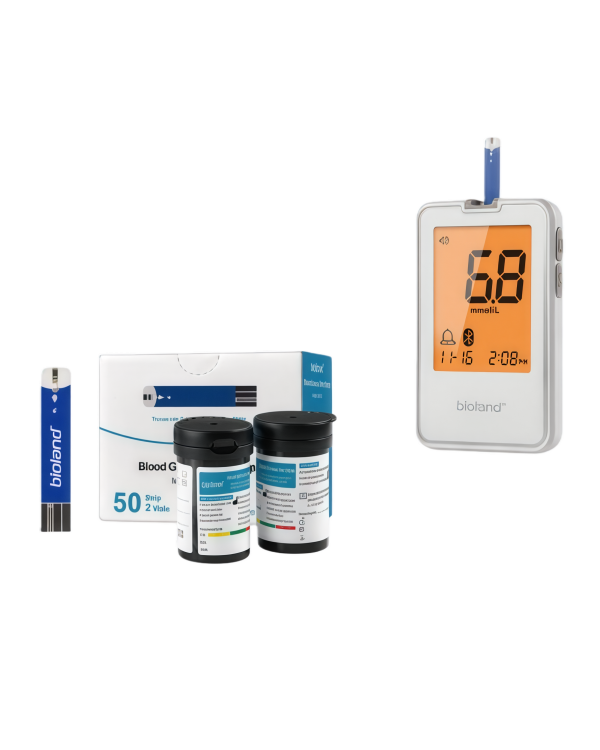
For readers using aiGlucoCare, the confirmed product documentation describes a blood glucose meter that measures glucose in fresh capillary whole blood, uses no-code operation, and stores up to 500 results. The stated blood-glucose measurement range is 1.1-33.3 mmol/L, the stated result time is approximately five seconds, and the stated sample volume is 0.7 microliters. aiGlucoCare maps to manufacturer model Bioland G-427B and connects with aiCare through Bluetooth for supported blood-glucose data workflows. These confirmed facts describe the meter and its place in the aiCare ecosystem; they do not change the general storage and handling principles above, and they do not establish what any individual result means.
What the evidence supports
The confirmed product documentation for aiGlucoCare supports a clear description of the device itself. It is a blood glucose meter that measures glucose in fresh capillary whole blood. It uses no-code operation, which means there is no code chip or manual coding step described in the confirmed feature set. The stated blood-glucose measurement range is 1.1-33.3 mmol/L, the stated result time is approximately five seconds, and the stated sample volume is 0.7 microliters. The meter stores up to 500 results. The confirmed product name is aiGlucoCare, and it maps to manufacturer model Bioland G-427B.
The same confirmed documentation describes how aiGlucoCare fits into a connected workflow. aiGlucoCare connects with aiCare through Bluetooth for supported blood-glucose data workflows. aiCare is AIHNET's connected-health software platform, and it brings supported AIHNET device data together into one health-data experience. aiCare helps users organize and view supported health information over time. The confirmed service facts include account and profile, device management, health summary and history, and mobile applications for Android and iOS, along with source and capture provenance. These are product and service facts, not clinical claims, and they do not establish what any glucose value means for an individual.
The same confirmed documentation describes how aiGlucoCare fits into a connected workflow. aiGlucoCare connects with aiCare through Bluetooth for supported blood-glucose data workflows. aiCare is AIHNET's connected-health software platform, and it brings supported AIHNET device data together into one health-data experience. aiCare helps users organize and view supported health information over time. The confirmed service facts include account and profile, device management, health summary and history, and mobile applications for Android and iOS, along with source and capture provenance. You can review the confirmed feature set on the aiGlucoCare product page. These are product and service facts, not clinical claims, and they do not establish what any glucose value means for an individual.
Practical considerations
General test strip care usually comes down to a few distinctions that are worth keeping separate. Storage is about where strips live between uses. Expiration is about the date printed on the container. Handling is about what happens in the moment between opening the container and completing a test. Each of these is governed by the manufacturer's instructions for your specific strips, and each can affect whether a strip performs as intended. The table below summarizes the general distinction; it is not a substitute for your product's own documentation.
For aiGlucoCare specifically, the confirmed feature set gives you a few practical anchors. No-code operation means there is no coding step described in the confirmed documentation, which can simplify the routine. The stated sample volume of 0.7 microliters and the stated result time of approximately five seconds describe the meter's stated performance characteristics, not a guarantee about any individual test. The meter's capacity to store up to 500 results is a device memory feature; it does not describe how long aiCare retains data, how accounts are shared, or whether synchronization is automatic. Those are separate questions, and the confirmed documentation does not answer them here.
If you are building a broader at-home supply routine, a related checklist on lancets, strips, syringes, and pens may be useful alongside this article. You can find it in the Complete Diabetes Care Supply Checklist: Lancets, Strips, Syringes, and Pens. For product-specific details about aiGlucoCare, the product page is the appropriate place to confirm the current confirmed feature set.
| Consideration | What it generally refers to | Where to confirm your specifics |
|---|---|---|
| Storage | Where and how strips are kept between uses, including container closure and environmental conditions | Manufacturer package insert or user manual for your strips |
| Expiration | The date printed on the strip container, after which the manufacturer no longer supports use | Strip container label and package insert |
| Handling | What happens between opening the container and completing a test, including touching and timing | Meter user manual and strip package insert |
Limits and responsible use
This article cannot establish storage, expiration, or handling specifications for your specific strips, because those are set by the manufacturer of the product you use. It also cannot interpret a glucose result, recommend a treatment or dosing change, or replace the instructions in your meter manual and strip package insert. The confirmed aiGlucoCare facts described here are product and service facts; they are not clinical efficacy claims, safety guarantees, or regulatory statements.
Responsible use means treating the meter and strips as part of a routine that follows the manufacturer's directions, and treating any question about what a reading means as a question for a qualified healthcare professional. If confirmed information about a specific storage condition or handling step is not available in the documentation you have, the appropriate step is to consult the product documentation or contact product support rather than rely on a general article.